Tuesday, June 12, 2012
All links are from xda-developers forum
(06/05/2012) [SS] Infamous T989 1.1 (LC8)
(06/04/2012) [SS] DARKSIDE UCLE2 BETA07.1 (4.0.4)
(06/04/2012) [SS] Bullet ROM R7 (LE2)
(06/01/2012) [SS] ONE5MOD 2.0 (AOSP)(4.0.4)
(05/26/2012) [SS] MIUI.us 2.5.25 (4.0.4)
(05/23/2012) [SS] ROMChicagoRemix (4.0.4)
(05/12/2012) [SS] DARKSIDE EVOLUTION 2 BETA03 (LC8)
(05/09/2012) [SS] Unofficial CyanogenMod 9 Nightly Build 3 (4.0.4)
(05/09/2012) [SS] DARKSIDE DIGITAL WARFARE v2.7 (KL1)
(05/09/2012) [SS] JoyOS (port)
(04/28/2012) [SS] BLACKEDITION RC10 (4.0.3)
(04/27/2012) [SS] SLICKM0d 3.6 RC1 (2.3.6)
(03/21/2012) [SS] Tuesday|Blu|Ray (2.3.6)
(03/11/2012) [SS] Paradox II
(02/18/2012) [SS] Juggernaut v5
Tuesday, June 12, 2012 0
All of this links are from xda-developers forum
(06/11/2012) [SS] DIVINE (LPQ)
(06/10/2012) [SS] UnOfficial MIUI v4 2.5.25 (4.0.4)
(06/04/2012) [SS] CyanogenMod 9 official nightly (4.0.4)
(05/21/2012) [SS] Prometheus Custom Rom v1.3.7
(05/31/2012) [SS] FullHebrew ROM V3 (LPQ)
(05/03/2012) [SS] SGS2G 4896 v9 (LA1)
(04/15/2012) [SS] SuperROM v3.1 (LC2)
(03/04/2012) [SS] GaLaXyRom v5.1 (LB1)
(02/14/2012) [SS] DARK ROM (KK1)
(02/07/2012) [SS] Homam.G.v3 (KL3)
All of this links are from xda-developers forum
(06/05/2012) [SS] VK™ ROM V5.1 (LPG)
(06/05/2012) [SS] TurkbeyRom Ics V12 (LPF)
(06/04/2012) [SS] ZetaROM v3.0 (LPG)
(06/04/2012) [SS] ASNETv4 v2.06.04 (MIUIv4)
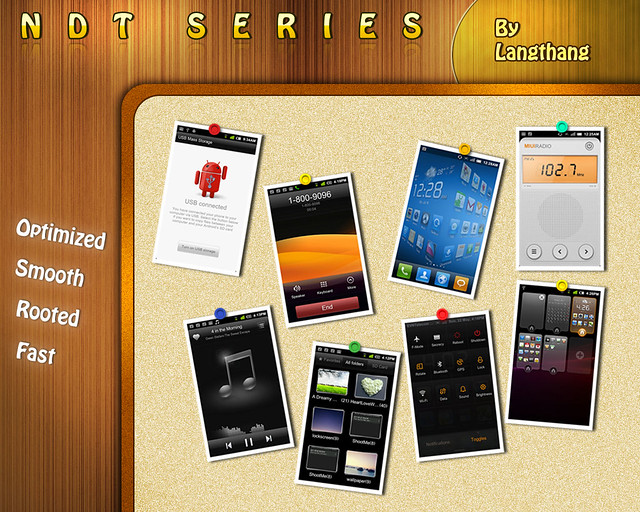
(06/04/2012) [SS] RGUI_NDT MIUI GB & ICS
(06/03/2012) [SS] Resurrection Remix ICS V2.1 (4.0.4)
(06/03/2012) [SS] WanamLite V12.0 (LPG)
(06/03/2012) [SS] Omega Stock v14 (LPF)
(06/02/2012) [SS] Dragon ICS V2.8 (AOKP)(IMM76I)
(06/01/2012) [SS] WIUI 2.6.1 (2.3.7)
(05/31/2012) [SS] FOXHOUND Revolver Ocelot (LPF)
(05/30/2012) [SS] Hydяa-H²o v1.2.2 (AOKP)(IMM76I)
(05/29/2012) [SS] PARANOIDANDROID v1.1 (CM9)(4.0.4)
(05/27/2012) [SS] AllianceROM v1 (LP9)
(05/27/2011) [SS] insanity ii cm 72 (4.0.4)
(05/26/2012) [SS] Thebyani Rom V4.3 (LPD)
(05/26/2012) [SS] Liteϟning ROM v3.2 (4.0.3)
(05/25/2012) [SS] Omega AOKP v4.0 (IMM76I)
(05/25/2012) [SS] DianXin OS
(05/24/2012) [SS] HaWKiSH™ FULL HD II (LP9)
(05/24/2012) [SS] SanIcsS2per v1.8 (LP9)
(05/23/2012) [SS] GalaxyMOD 2.5.1 (LPD)
(05/22/2011) [SS] Pure ICS v7.4 (LPD)
(05/13/2012) [SS] HyDrOG3N-ICS 13.05 (AOKP)(IMM76D)
(05/11/2012) [SS] CheckROM RevoHD™ V6 (LA4)
(05/10/2012) [SS] AOKP Build 35 (IMM76I)
(05/05/2012) [SS] Epsilon Project V2 (LP7)
(05/04/2012) [SS] DeXTeR ROM v3.1 (LP9)
(04/28/2012) [SS] DSA’s CodecROM™ 5.7 (LP9)
(04/27/2012) [SS] CriskeloServanTeam V09 (LP9)
(04/25/2012) [SS] Dynamic v1.4 (LP9)
(04/24/2012) [SS] Krinyo75’s AOKP (LA4)
(04/15/2012) [SS] Crysis21’s SensatioN ROM 3.4 (LP7)
(04/03/2012) [SS] AdyScorpiusMIUI vGB1 (2.3.7)
(04/02/2012) [SS] Black Infinitum v0.6.7 (AOKP)
(03/31/2011) [SS] Agabey (LP3)
(03/23/2012) [SS] Simple & Clean v4.0 (LP7)
(03/22/2011) [SS] Ultra Nusa v1.5 (LP7)
(03/14/2012) [SS] Evira Project release 2.3.9 (2.3.7)
(03/12/2012) [SS] SaNgO Vizion v6.5 (LA4)
(03/11/2012) [SS] The GingerMOD v0.8.5
(03/10/2012) [SS] MiUi ROM v2.3.9 (2.3.7)
(03/03/2012) [SS] HyperDroid Androidmeda v6.1.17
(02/29/2012) [SS] TurkbeyRom V37 SE (LA2)
(02/14/2012) [SS] NDT MIUI GINGER V17.0 (2.3.7)
(02/10/2012) [SS] HYDRA0SP (2.3.7)
(02/10/2012) [SS] UltraToxic Rom v8.1 (LA4)
(02/01/2012) [SS] Homam.v14 (LA2)
Sunday, June 10, 2012
What phones that are own by Filipino?
Pinoy Pride phones?
Mobile Phones of Philippines?
Philippines cellphone?
Sunday, June 10, 2012 0
Saturday, June 9, 2012

Meizu MX Quad-Core comes with a very clear 292 PPI Hi-Def ASV display, it has 8 megapixel BSI camera with an f/2.2 lens aperture that can even capture a picture on a low light situations.
This new mobile phone will be powered by a Cortex-A9-based, 32nm HKMG (High-K Metal Gate) quad-core Samsung Exynos chip, not to mention Meizu's claimed that this devices will be the first to feature the new Exynos A9 quad-core chipset, which will reduce CPU power consumption by up to 20% compared to earlier versions.
Meizu MX Quad-Core (64GB HK Version) Specifications
Model: Meizu MX
Carrier: Unlocked
Phone Style: Bar, 4-inch 960 x 640 ASV display
Operating System: Android 2.3 OS, will update to Android Ice Cream Sandwich
Processor: Quad-core Samsung Exynos A9
RAM / ROM: 1GB LPDDR2 1066 memory, 32GB storage
Display
Screen Size: 4.0 inch 960 x 640 ASV display, multi-touch capacitive screen
Display reulotion: 4-inch 960 x 640 ASV display,
Color Support: 160,000 colors
Screen Technology: Multi-touch Screen
Camera
Camera Resulotion: 8.0 megapixel, 1080p@30Fps, LED flashlight
Connectivity
Connectivity Technology: GSM/GPRS/EDGE/WCDMA/HSPA+
Network Band: GSM 900/1800/1900 MHz & 3G 850/900/1700/1900/2100MHZ
Data Technology: GPRS, HSPDA
Bluetooth: Bluetooth 2.1
WLan: Wi-Fi IEEE 802.11 b/g/a
USB: USB 2.1 + EDR
GPS: GPS / A-GPS
Features
Video Player: AVI, MP4, 3GP, MOV, MKV, FLV
Audio Player: FLAC, APE, MP3, OGG, AMR, AAC
Image: JPG, PNG, BMP, GIF
Ringing Tones: Downloadable
Message: SMS, MMS, Email
Phone Book: More than 10000 contacts
Brower: HTML
Game: Downloadable, Google Market
G-sensor: Yes
Interface/Port: 3.5mm earphone jack / mini USB
Battery: 1600mAh Li-on battery
Dimensions: 121.3×63.3×10.3mm
Weight: 139g
Read for yourself: MEIZU official announcement on Meizu MX Quad-Core
MEIZU announces the world’s first smartphone with the quad-core Exynos A9 CPU
HONG KONG – April 16, 2012 – MEIZU today announces the brand new MEIZU MX Quad-core smartphone to be available in June this year. Among many surprises, the MEIZU MX Quad-core is the first smartphone in the world to use the brand new and powerful Exynos A9 quad-core processor.
The MX Quad-core uses a power efficient quad-core Exynos A9 CPU with industry-leading 32 nm HKMG technology which has been optimized to reduce CPU power consumption by up to 20%. In addition, it will last even longer with a new 1700mAh battery.
With its state-of-the art hardware, the MEIZU MX Quad-core is better in every way than its predecessor. The MEIZU MX Quad-core CPU is 60% faster, and GPU 50% faster compared to the previous MX. Whether it is browsing through menus, playing the latest games, or watching 1080p video, the MX Quad-core easily beats dual-core devices.
MX Quad-core comes with a vivid 292 PPI high definition ASV display. With no visible pixels on the screen, it provides the user with the ideal smartphone viewing experience. On the back side, the MX Quad-core has an 8 megapixel BSI camera with an f/2.2 lens aperture, capable of taking great photos even in low light conditions. The MX Quad-core will come with MEIZU’s unique Flyme OS based on Android 4.0, providing users with beauty, simplicity and buttery smooth performance at every interaction.
The MEIZU MX Quad-core will be available in MEIZU’s 400 retail stores during June at ¥2999/3999 CNY and $3099/4099 HKD for capacities 32GB and 64GB in Mainland China and Hong Kong, respectively. With MX Quad-core, the company also releases MX back covers in five colors in addition to the original white, allowing users to experience the MX on their own terms. Coinciding with the announcement of MEIZU MX Quad-core, the MEIZU MX will have its price adjusted to ¥2399 CNY and $2599 HKD in Mainland China and Hong Kong respectively. The reduced price for the MEIZU MX is effective as of April 16, 2012.
tags:
MEIZU MX Quad-core, MEIZU MX Quad-core specs, MEIZU MX Quad-core photo, MEIZU MX Quad-core image, MEIZU MX Quad-core smartphone
Saturday, June 9, 2012 0
Thursday, June 7, 2012
• Turn off your device (mobile phone) and disconnect it from the your PC.
• Press the “Volume down Key”, “Home button” hold both simultaneously and press the Power Button to enter the Download Mode.
• Connect your Galaxy S3 to your PC by using of course the USB.
• If ODIN application displays “Successful” under the message and the first “ID:COM” were highlighted in yellow color, your phone is successfully detected.
• Now check Repartition is NOT ticked and auto reboot ticked and the other options must be leave as is.
• Click on “PDA” tab on Odin and select the file named CF-SGS3-CWM-v5.5-v1.2.tar.
• Once you already selected the file, click on “Start” to begin the installation process of Clock Work Mod Recovery. (This will only take a minute or depending on your PC speed).
• Once done, disconnect your device on PC and wait for the Home Screen.
Now it’s done, you already installed the ClockWorkMod on your Samsung Galaxy S3.
Steps for Rooting the Samsung Galaxy S3:
• If you follow the steps above on installing the CWM, you are ready to root your devices.
• Turn off your phone or device and boot it into Recovery Mode by pressing the “Hold Volume Up Key”, “Home button” hold both simultaneously and press the “Power Button” to enter the Recovery Mode.
• Go to ClockWorkMod and select “install zip from sdcard” and “choose zip from the sdcard”.
• Select from the ClockWorkMod the “CWM-SuperSU” and install it.
• After you installed the “SuperUser”, go back then and reboot your device.
• Now you’re done rooting your phone.
Disclaimer:
This is for educational purposes only, neither we nor the developers should be held responsible if your phone bricked or damaged by following this steps.
Credits: Some of this great ideas are from XDA Developers
Thursday, June 7, 2012 0
Wednesday, June 6, 2012

Rumors back then says that Galaxy S III would be having a 16MP camera and will be running on the Exynos Quad Core ARM Cortex processor.
The Official specifications of the Samsung Galaxy S3
- 1.4GHz quad-core processor
- 16 / 32GB Internal storage memory
- SD Card slot to expand memory to 64 GB
- 4.8″ Super AMOLED display
- 8 megapixel camera
- 1080p video recording at 60fps
- 2100 mAh battery
- NFC Chip
- Ice Cream Sandwich OS – 4.0.4 version
Wednesday, June 6, 2012 0
- POWERSURF 15 – a 1 hour or 60 minutes of mobile internet: Text POWERSURF15 to 8888 cost: P 15.00 and this is valid for 1 day.
- POWERSURF 30 – a 3 hours or 180 minutes of mobile internet : Text POWERSURF30 to 8888 cost: P 30.00 and this is valid for 1 day
- POWERSURF 50 – a 5 hours or 300 minutes of mobile internet : Text POWERSURF50 to 8888 cost: P 50.00 and this is valid for 3 days
- POWERSURF MB 15 – a 20MB or 20480 KB of consumable mobile internet: Text MB15 to 8888 cost: P 15.00 and this is valid for 1 day.
- POWERSURF MB 30 – a 50MB of consumable mobile internet: Text MB30 to 8888 cost: P 30.00 and this is valid for 1 day.
- POWERSURF MB 50 – a 100MB of consumable mobile internet: Text MB50 to 8888 cost: P 50.00 and this is valid for 3 days.
- POWERSURF MB 99 – a 50MB of consumable mobile internet: Text MB99 to 8888 cost: P 99.00 and this is valid for 30 days.
- POWERSURF MB 299 – a 300MB of consumable mobile internet: Text MB299 to 8888 cost: P 299.00 and this is valid for 30 days.
- POWERSURF MB 499 – a 1Gig of consumable mobile internet: Text MB499 to 8888 cost: P 499.00 and this is valid for 30 days.
- SUPERSURF 50 - for 1 day unlimited surfing just Text SUPERSURF50 to 8888 and this will cost you a P 50.00.
- SUPERSURF 120 - for 3 days unlimited surfing just Text SUPERSURF120 to 8888 and this will cost you a P 120.00.
- SUPERSURF 200 - for 5 days unlimited surfing just Text SUPERSURF200 to 8888 and this will cost you a P 200.00.
Tuesday, May 29, 2012
This is the Preliminary Spec for HTC X720d (HTC Jel) which is expected to be release this coming month June 2012.
| Dimensions: | 68.99 x 134.8 x 9.5 millimetres |
| Mass: | 138.5 grams (battery included) |
Software_Environment |
|
| Embedded;Operating;System: | Google Android 4.0.3 Chinese Browse devices running this OS |
Microprocessor,_Chipset |
|
| CPU+Clock: | 1500 MHz |
| CPU: | Qualcomm Snapdragon MSM8660A Browse devices based on this microprocessor |
Memory,_Storage+capacity |
|
| RAM-capacity: | 1 GiB |
| ROM-capacity: | 14.9 GiB |
Display |
|
| Display:Type: | color TFT SLCD , 16777216 scales |
| Display:Diagonal: | 4.7 " |
| Display-Resolution: | 720 x 1280 |
Sound |
|
| Microphone(s): | mono |
| Loudspeaker(s): | mono |
| Audio-Output: | 3.5mm |
Cellular:Phone |
|
| Cellular:Networks: | CDMA800 (BC0), CDMA1700/2100 (BC15) |
| Cellular;Data+Links: | cdmaOne, CDMA2000 1xRTT, CDMA2000 1xEV-DO Rel. 0, CDMA2000 1xEV-DO Rev A |
| Call-Alert: | 64 -chord melody |
| Vibrating:Alert: | Supported |
| Speakerphone-: | Supported |
Secondary:Cellular_Phone |
|
| Dual:Cellular;Network-Operation: | Parallel operation |
| Secondary-Cellular:Networks: | GSM850, GSM900, GSM1800, GSM1900 |
| Secondary-Cellular_Data;Links: | GPRS, EDGE |
Control+Peripherals |
|
| Positioning;Device: | Multi-touch screen |
| Primary-Keyboard: | Not supported |
| Directional:Pad: | Not supported |
| Scroll:Wheel: | Not supported |
Interfaces |
|
| Expansion;Slots: | microSD, microSDHC, TransFlash |
| USB: | USB 2.0 client, 480Mbit/s micro-USB |
| Bluetooth: | Bluetooth 4.0 |
| Wireless+LAN: | 802.11b, 802.11g, 802.11n |
| Infrared:Gate: | Not supported |
Multimedia+Telecommunication |
|
| Analog;Radio:Receiver: | No information |
| Digital:Media_Broadcast-Tuner: | Not supported |
Satellite:Navigation |
|
| Built-in_GPS_module: | Supported |
| Complementary:GPS;Services: | Assisted GPS, QuickGPS, WAAS, Geotagging, Simultaneous GPS |
Built-in+Digital-Camera |
|
| Main;Camera: | 8 MP |
| Autofocus-(AF): | Supported |
| Optical_Zoom: | 1 x |
| Macro_Mode: | Supported |
| Built-in:Flash: | mobile light (LED) |
| Secondary:Camera: | 1.3 MP |
Additional_Details |
|
| Built-in_accelerometer: | Supported |
| Battery: | built-in |
Tuesday, May 29, 2012 0
As days goes by, while having a lots of time being here in Bukidnon, part of Mindanao, Philippines, my hometown and where internet access is hard to find especially if you are in need to go online. Well, the best way to gain access to the internet in Bukidnon is to be prepared first if you are planning to have time visiting here. The first thing I did was to brought my broadband USB sticks (e.g. Smart Bro "prepaid", Globe Tattoo "prepaid" and a mobile phone that can access internet) because it's hard to find a wi-fi hotspot zone, limited internet cafe's, a few only local internet providers. It's like your going to the jungle. If your going to look for internet access, I'm giving you some tips and hints. Malaybalay City, Bukidnon Internet access - you can find internet cafe's near the schools along the National Highway and near in Malaybalay Public Market. Valencia City, Bukidnon Internet access - you can find it near Laveña Avenue, Gaisano Mall, and near in schools. Maramag, Bukidnon Internet access - exit road from terminal going to Davao and Don Carlos near San Andres High School, near Bus Terminal and entrance road to market. Don Carlos, Bukidnon Internet access - near Loyola High School and Don Carlos Public Market. So far, this are the places in Bukidnon where I did have access on internet by going this internet cafe's and the rest of the Bukidnon sites I used my broadband USB sticks and mobile gadgets just to gain access to the internet. Please do comments if you have suggestions and feedbacks about having an Internet Access in Bukidnon, Mindanao.